Skip to content
View in the app

A better way to browse. Learn more.

The Weather Forums

A full-screen app on your home screen with push notifications, badges and more.

To install this app on iOS and iPadOS
  1. Tap the Share icon in Safari
  2. Scroll the menu and tap Add to Home Screen.
  3. Tap Add in the top-right corner.
To install this app on Android
  1. Tap the 3-dot menu (⋮) in the top-right corner of the browser.
  2. Tap Add to Home screen or Install app.
  3. Confirm by tapping Install.

PNW March 2023 Weather Discussion: To Spring or not to spring?

Featured Replies

It's March and the endless snow continues. Meteorological spring has begun, but how long will winter continue to winter?

The Weather Forums March Madness winners

2026: MossMan
2024: SilverFallsAndrew
2023: Gradient Keeper
2022: Gradient Keeper (DJ Droppin)
2021: Tom

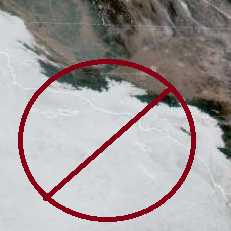
BUILD THE 8000 FT WALL ALONG THE WEST COAST. STOP THE MARINE LAYER INVASION.

  • 3 weeks later...
  • Replies 1
  • Views 803
  • Created
  • Last Reply

Top Posters In This Topic

Until the end of times

Join the conversation

You can post now and register later. If you have an account, sign in now to post with your account.

Guest
Unfortunately, your content contains terms that we do not allow. Please edit your content to remove the highlighted words below.
Reply to this topic...

Account

Navigation

Search

Search

Configure browser push notifications

Chrome (Android)
  1. Tap the lock icon next to the address bar.
  2. Tap Permissions → Notifications.
  3. Adjust your preference.
Chrome (Desktop)
  1. Click the padlock icon in the address bar.
  2. Select Site settings.
  3. Find Notifications and adjust your preference.